 Did I Park Right
 Apple Maps not showing your parked car?
Apple Maps not showing your parked car usually means a missing connection or setting. It needs your iPhone paired to the car’s CarPlay or Bluetooth, plus Location Services, Significant Locations and Show Parked Location on. It also skips familiar places like home and work. Pick what you see below for the fix.
From Apple’s iPhone User Guide · Checked Oct 30, 2026
Save it by hand
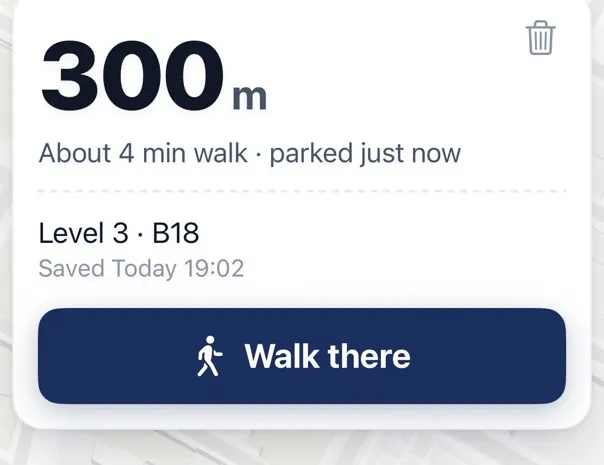
If your car has no Bluetooth, or you park at the same place every day, Where Did I Park saves the spot with one tap and shows how accurate the pin is. Free on iPhone. About the app

How the Parked Car marker works
Apple Maps doesn’t watch for you to park. It watches for one event: your iPhone disconnecting from the car’s CarPlay or Bluetooth when you get out. That’s why it fails in the cases people ask about most. No connection in the car means no event. A familiar place gets skipped on purpose. And the marker records where the phone was when the connection dropped, which isn’t always where the car stands.
To use it, open Maps and choose Parked Car below Siri Suggestions.
- 1ConnectedYour iPhone is on the car’s CarPlay or Bluetooth.
- 2You get outThe connection drops.
- 3Marker dropsMaps marks where the phone was at that moment.
Apple Maps or Google Maps?
Apple Maps is automatic but depends on the car connection. Google Maps is manual: on iPhone you tap the blue dot and choose to save parking, and Google says it stays for 48 hours unless you remove it or start driving. On Android you can also add notes and photos to the saved spot. Neither shows the garage level. For that, write it down.
| Apple Maps | Google Maps | Where Did I Park (ours) | |
|---|---|---|---|
| How it saves | By itself, over Bluetooth or CarPlay | You tap to save | You tap Save |
| Car with no Bluetooth or CarPlay | No marker | Works | Works |
| How long it stays | Apple’s guide gives no time | 48 hours on iPhone, by Google’s help page | Until you clear it |
| Note for the level | Apple’s guide names none | Android only, by Google’s help page | Yes, free |
From Apple’s and Google’s help pages, linked below. We make the third one.
Apple Maps
- Automatic
- Needs CarPlay or Bluetooth
- Skips home and work
Google Maps
- You save it by hand
- Stays 48 hours on iPhone
- Notes and photos on Android
What to do next
Quick answers
Why doesn’t my iPhone show where I parked?
Usually because it isn’t paired to the car’s Bluetooth or CarPlay, one of three settings is off, or you parked somewhere familiar like home or work.
Where is the Show Parked Location setting?
Settings > Apps > Maps. Significant Locations is at Settings > Privacy & Security > Location Services > System Services.
Why does Apple Maps show a parked car at all?
It drops a marker when your iPhone disconnects from your car’s CarPlay or Bluetooth and you leave the vehicle.
Sources: Apple — Get directions to your parked car · Google Maps Help — Find & save parking locations
Reviewed : steps re-read from Apple’s iPhone User Guide and Google Maps Help · how we check · report an error