 Did I Park Right
 Where did I park? Write it down here
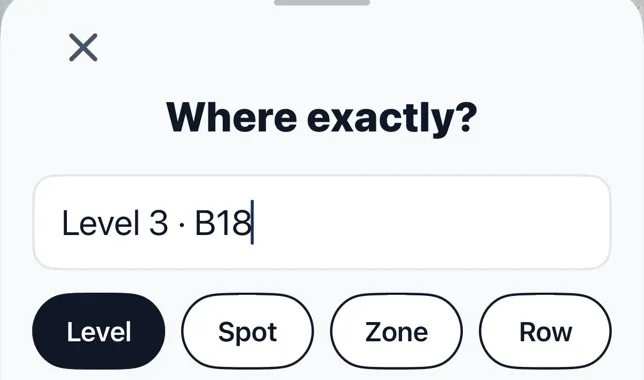
Where did you park? Write down the level, the row and one landmark, and you’ll walk straight back. Park Note saves them on this phone and in a link you can send to someone. It needs no account and no signal once it’s open. Fill it in below while you’re still at the car.
Stays on this phone · Nothing sent to us
Keep this note with a map back
Where Did I Park keeps a note like “Level 3 B18” with your spot, and adds the distance and walking directions. Free on iPhone. About the app


What to write down
- Level or floor. The one thing a map can’t give you.
- Row or bay. Many garages repeat the same numbers on each level, so include the zone letter or color.
- A landmark. The elevator bank, the store entrance, the light pole number.
- The car. Only needed for a rental or a borrowed car: color, make, plate.
Ten seconds at the car saves far more than that at the end of a long day. Sending yourself the link also means the note is still in your messages if you switch phones or close the page.
Your car is at
Level 2 · 2A
Yellow pillar, by the east stairs
Level, row, one landmark.
A large-print card for a parent or partner
Setting it up on their iPhone? Install Where Did I Park, open it once with them and allow location. Then there are two buttons to learn: Save when they park, Find when they come back. No account to create. The free version shows ads.
If someone in your family tends to lose the car, fill this in with them and tap Print card, then keep it in their wallet or on the dash. The card prints only the spot, in large type. You can also send the link to yourself, so you can help from a distance when they call.
If forgetting a car has become a pattern and not a one-off, talk to their doctor. We’re a parking site, so this card is a help, not a solution.
Your car is at
Lot C, row 42
Gate 3, by the blue tent
The printed card shows only the spot.
What to do next
Quick answers
How can I remember where I parked?
Write down the level, the row or bay, and one landmark before you leave the car. A photo of the pillar sign helps too.
Does Park Note work with no signal?
Once the page is open, yes. The note is kept in your browser on this phone.
Is my note private?
Yes. It stays on your phone. If you copy the link, the note is in the link, so only send it to people you’d tell.
Sources: Apple — Get directions to your parked car
Reviewed : how the tool stores your note · how we check · report an error